Are you struggling with
your DAZ Studio / Carrara renders & Photoshop postwork?
The Dreamlight Club aims at
improving your skills and confidence as an artist. In a friendly and
supportive environment, at your own pace and from the comfort of
your own home - you can take your art to the next level. Whether you´re
aiming at more fun, go pro or get a good start and feel for
3D - this is the place! And that´s without spending a fortune!
Here´s what you get:
- Fast DAZ Studio, Carrara & Photoshop forum support
- Be part of a group, where problems and solutions are shared with a
smile. All questions are welcome!
- Post your renders in the DL forum or DL gallery and get fast help with any problems you
encounter. Everything from composition, surface settings and light
to rendering and postworking.
- Watch video tutorials that will guide you step by step and reveal
how renders are made from the very first moment - to the final
postworked image. Watch video tutorials that teach specific effects
and tricks. Experience misstakes being made live - and how to
correct them! The hidden stuff that nobody tells you about!
- Get personal video
replies. You ask the question and a video will be made just
for you!
- Read articles and ebooks that cover specific topics
- Examine & play with ready to use light sets and products not available anywhere else
- Participate in fun projects. Meet other artists, share your
knowledge and gain experience
- Download content to your harddrive and watch/read it as many times
as you want - it´s yours to keep forever
Normally, this
kind of technical support would be atleast $79 an hour or more.
Instead - it´s all yours for an amazing
$14.95
a month,
$26.95
a quarter ($8.98/m) ,
$51.95
for 6 months or
$99.50
a year ($8.29/m)! And all the videos, products and ebooks
are included!
More FREE videos from the "Making
of the raptors":
Video 1,
Video 2
Your
Support Team
Waldemar Belwon, CEO
Dreamlight AB
Being a former
writer, electronic music composer, camera man, analogue /
digital video editor, 2D and 3D artist, Waldemar brings a
unique blend of knowledge into the club. His patience and
understanding of the creative process pushes artists to grow
beyond their limits. Waldemar has a passion for 3D graphics
and for sharing all his knowledge with others. Since 2006,
he´s also a bestselling DAZ 3D vendor and produces light sets,
plug ins and adds on for DAZ Studio and Poser. DAZ Studio and
Lightwave artist.
Home Page,
Renderosity Gallery,
DAZ 3D Store,
YouTube
View iImages by
Waldemar Belwon:
View animations by
Waldemar Belwon:
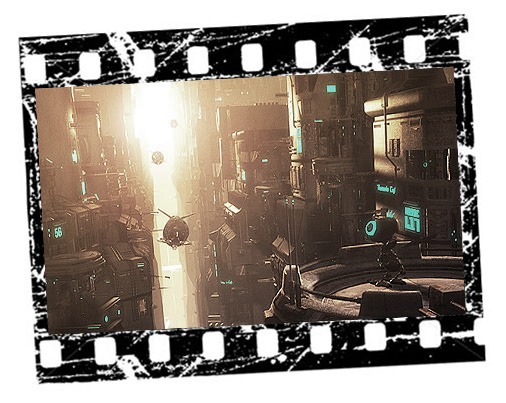
Space scene and
woman rendered in Lightwave 64 bit, original size HD 1280 x
720. Cannon rendered in Lightwave 32 bit in PAL 720 x 576.
Cannon sequence taken from "Playground", copyright Peter P.
Belwon, Cinemavision HB.
Michael J. Ambruso a.k.a
theSea, Ten Thousand Tad Poles Productions
A creative
artists, with great problem solving skills - Michael is an
expert in the technical stuff - all down to the smallest
settings and adjustments. He´s passion for 3D graphics shows
in his well written ebooks. Michael adds many fine details to
the club, and his knowledge and presense gives structure to
the training. Michael is also part of the Dreamlight Team, and
produces products for DAZ Studio. DAZ Studio, Carrara and Vue
artist.
Renderosity Gallery
iView images by
MIchael J. Ambruso:
Steven Magyar a.k.a Smag /
Ste1438
Computer technology is a big part of his life - electronic music,
photo/video editing, CGI, mathematics, physics, 2D animation,
scripting, and web design. He´s horrified when he sees people with
powerful PC's just collecting dust. Steven finds it very rewarding
to help others learn more about all the amazing things that can be
done with computers. He is all about helping people realize the
spirtual rewards of creativity and imagination - with and beyond the
technical details. Steven is an expert in explaning via video, and
has made several video tutorials for the club. DAZ Studio and Carrara artist.
YouTube
View images by
Steven Magyar:
Thomas MacCallum
Ask any question to Thomas, and you´ll get a detailed answer. Beeing
a 3D teacher in the UK, Thomas knows it´s all in the details. Thomas
specializes in Carrara, but is also a DAZ Studio artist. He loves to
teach, and you can tell from his passionate answers - he´s right to
the point.
The club focuses mainly on
DAZ Studio, the free 3D software from
www.daz3d.com. Allthough not
the most feature rich 3D application on the market, DAZ Studio
has some nice features, is easy to learn and most importantly
- it is content driven. This means that there are tons of
figures, characters and props to choose from to get started
right away. The enormous market place features hundreds of
vendors who produce high quality content at really good prices.
Another great feature of
DAZ Studio, is the user interface. Simply the best in the
industry. Easy to use, totally customizable - with every
effort put in to make it functional.
DAZ 3D is run by awesome
people, some of whom i´ve got to know very well. They do a great job
building up the community and improving the software. I´ve
been using DAZ Studio since the early beta versions during
2005, and i just love the ease of use. The characters are of
extremely high quality, fully rigged - ready for action with
over 80,000 polygons.
DAZ Studio was the perfect
choice for the Dreamlight Club. After 3 years of development,
it´s stable enough, and with enough features to keep
intermediate artists busy - yet beginners happy and curious.
Lately, the club also
features support for Carrara and Vue - but DAZ Studio is still
the main application used - allthough most of the training is
mainstream. The Dreamlight club will feature more software
packages in the future, to suit the different demands of
growing artists.
FAQ´s
Q: How do i pay?
A: Sign up takes a few minutes,
via Pay Pal
Q: I find the $14.95 pretty
expensive
A: With the one of a kind fast
technical coaching, with a members only gallery & forum, with over 7 hours of video tutorials, several well written ebooks and
articles - plus free products, projects & contests - the value of the
club content is well above $350. The coaching alone is worth more than the
$14.95. Besides, if you join via the quarterly or yearly options you
can get as low as $8.98 or $8.29 per month.
Q: Can i join today, cancel
tomorrow and rejoin later?
A: You most certainly can!
Q: If i cancel, can i still log
in for the rest of the period?
A: No, if you cancel, the system
will prohibit any log-ins.
Q: If i cancel, and rejoin later
- will the system recognize me?
A: Yes! You will be able to use
the same log in for the club, the forum and the gallery as you had
before. You can easily control you subscriptions via the system user
interface that is accessible no matter if you are active or have
canceled.
Q: Why should i join this club,
when there´s a lot of stuff for free?
A: The DL Club will give you
personal & fast help by professional artists. If you ask a question,
you will get it answered - and often from multiple point of views.
What differs the club from free stuff out there, is the warm
environment - with you in focus. You won´t get those "kind" nonsense
comments. Instead, you´ll get constructive critics - which aim to
improve your skills as an artist. Besides, the videos are made in DS
- and give you one of a kind step by step guidance not found
anywhere else.
Q: How fast will i get help?
A: Usually within 24 hours. In
most cases, even faster. It depends on your question, and how many
coaches that are available at a given time.
Q: Who will help me?
A: Waldemar Belwon, Michael J.
Ambruso, Steven Maygar and Thomas MacCallum. Besides, many skilled artists
find it fun to share their knowledge, and participate in the small
debates that arise... This gives a very nice blend of information
that suits both beginners as well as advanced artists.
Q: If something goes wrong during
registration, where can i get help?
Q:
I´m new to 3D. Can i still join the club and ask "newbie" questions?
A: Yes, of course! The club is
full of artists at various skill levels. This is what makes this
such an interesting and vibrant place! There are no silly questions!
Q: I don´t use Daz Studio. Is the
club of any benefit to me?
A: Some of the techniques are DS
only. However, most of the information, both written and in the
videos - is very mainstream and can be applied to any software. And
the same applies to Photoshop - similar techniques can be used in
most 2D packages out there. The new Carrara only forum section will
of course handle Carrara related issues.
Q: What´s the goal of the club?
A: The goal is to share every
possible trick known and unkwon regarding Daz Studio, Carrara and Photoshop -
with other platforms to follow. To strengthen the confidence from
within the artist. To embrace the artist in an environment, that
enables growth as well as a lot of fun. To really take the hand of a
beginner, and guide him or her on their own path - towards the
artist they want to become.
Q: Can i read anything more about the club before i join?
A: If you´re a member of
www.daz3d.com, you can enter the
Dreamlight DAZ 3D forum and read all posts written by members since
the club opened September 2007. Click
here to go to the forum.
Available imediatelly upon signing up:
DL Forum for DAZ Studio /
Carrara / Photoshop
Get fast help with
any problems you encounter! Everything from composition
and surfaces to lights and postwork.
Meet other artists
and share your knowledge! Participate in fun projects, and
learn new skills in a fun, non threatening environment.
DL Gallery
Post your work and
get it rated! Write comments and get comments that will help
you improve your work!
At last - enjoy
feedback that is constructive and honest - and not just kind
and positive.
Light Dome PRO 2, Sunset
Sky Pack
Date added: Nov 15
2008, Requires Light Dome PRO 2
Three gorgeous
sunsets from Michael Ambruso to spice up your Light Dome PRO 2
sky folder!
(Right click and
choose Save Target As to save to your harddrive)
Project
05: Texturing a Vase
Date added: Oct 22
2008
With all parts of
the DAZ Studio series of tutorials about Realistic Texturing
released,
Steven Magyar now guides you to make your own set of textures.
(Right click and
choose Save Target As to save to your harddrive)
"Mimicking
Radiosity in DAZ Studio", ebook by Waldemar Belwon
Date added: Sept 1
2008, Format: PDF
Radiosity or
bouncing light calculations are available in more expensive 3D
software packages. However, you can easily mimic that using a
few well placed spot lights in DAZ Studio. Find out how!
(Right click and
choose Save Target As to save to your harddrive)
"Natural
Posing", ebook
Date added: Aug 15
2008, Format: PDF
April 2008 Gallery
Contest winner Derek Shield has written an ebook about making
natural looking poses in DAZ Studio. See for yourself how you
easily can tweak poses into a more natural state.
(Right click and
choose Save Target As to save to your harddrive)
"Composition
in 3D - Advanced Techniques", ebook
Date added: July 15
2008, Format: PDF
Stop wondering how
to create well balanced images, with this deep analysis ebook!
Explore advanced techniques that will help you in creating
better images. 22 pages, 19 images and tons of tips & tricks!
"The
Magic Of Layers in DAZ Studio and Photoshop", ebook with
project files
Date added: May 22
2008, Format: PDF + PSD / JPG / DAZ files
If you´re looking
for more control and spending less time with your 3D graphics
- then this ebook is for you! Complete with PSD project files,
original JPG high rez renders and DAZ Studio scene file (without
props).
(Right click and
choose Save Target As to save to your harddrive)
"Displacement Maps in DS &
Photoshop", video tutorial
Date added: April 15 2008, Dur:
27 min
46 sec
Displacement maps
- what are they anyway? Learn all about them and see how
easily you can alter the V4 face with sci-fi robot extensions
and add extra details to props, characters and buildings.
(Right click and
choose Save Target As to save to your harddrive)
"Paint
Clothes Like The Pros Vol 2", ebook
Date added: April
1
2008, Format: PDF + Photoshop color swatches and Poser / DS
poses
- NUDE CONTENT
The well known and
established Photoshop artist, Addy - reveals her secrets when
it comes to painting clothes. The package also contains
Poser/DS poses and Photoshop swatches.
(Right click and
choose Save Target As to save it on your harddrive)
Project
03: Da Face
Date added: March
15
2008
Time for a real
challenge! Take the face of any character, add a pose /
expression and lights. Do you see a dramatic scene with a
monster or a beautiful portrait?
Carrara 6 offers
more advanced lighting options than DAZ Studio. What is GI
anyway - and how can you use it to really make your renders
stand out? Ebook by Thomas MacCallum.
(Right click and
choose Save Target As to save it on your harddrive)
"Lighting
The Face", ebook / video tutorial
Date added: March
1
2008, Format: PDF + Quicktime video
Is there a simple,
yet powerful approach to lighting a face? In this detailed
ebook along with 16 min speechless video tutorial, you´ll get
all the answers and learn two different styles in DAZ Studio.
DS scene files included. (Without V4 character)
(Right click and
choose Save Target As to save it on your harddrive)
"Rendering
Natural Looking Eyes in DAZ Studio", ebook
Date added: Feb 15
2008, Format: PDF
They say the eyes
are the windows of the soul. In this ebook by Michael J.
Ambruso, you´ll discover how they can become the soul of your
DAZ Studio renders.
"Rendering
Natural Looking Skin in Daz Studio - part 2", ebook
Date added: Jan 15
2008, Format: PDF
Part 2 means more
advanced settings and the use of third party tools like
PwSurface. Can it get any better? It sure can! Michael Ambruso
shows you how in this detailed ebook for Daz Studio.
In need of a cool
prop to place your characters in? Or want to explore the
fantastic world of displacement maps? dROOM is a surrealistic
box room, with displacement maps added - to create the
distinctive pattern. It comes ready with lights - ready to
render. And rendering goes fast - as dROOM renders without
shadows.
"The
Rule Of Thirds - How To Use It And When To Break It", article
Date added: Dec 24
2007, Format: Webpage
article
When looking at
certain images, they just feel good regarding composition,
camera & object placement. How come? Learn how to achieve that
"feeling" every time by following a simple rule!
Learn how to light
this gorgeous Stonemason prop, with and without the Light Dome
PRO. Add additional Mood Master effects and see how Surface
Mask Creator can make life easier in difficult situations.
Learn how to postwork the image, add more realism and how to
create beautiful sun rays in Photoshop. Experience live errors
and see them get correced!
"Rendering
Natural Looking Skin in Daz Studio", ebook
Date added: Dec 1
2007
Format: PDF
In this detailed
ebook by Michael J. Ambruso - you will learn everything worth
knowing about how to make beautiful and natural looking skin.
In part 1, Michael will only use the built in features of DS
along with the basic V4 textures available at Daz3D.
(Right click and
choose Save Target As to save it on your harddrive)
"Adding
Focus", ebook
Date added: Nov 15
2007
Format: PDF
In this easy to
follow ebook, Thomas MacCallum guides us through lighting this
awesome DS scene, and then adding additional effects in
Photoshop, in order for the image to stand out.
How to
cut down the production and render time of a CG image, article
Date added: Oct 24
2007
Format: Webpage
article
Time... There´s
never enough - is it? In this in-depth article, i´m going
through every possible way i know - that might speed up your
own production and render time.
Requires
Daz|Studio 1.7 and DH Great Room by Redhouse Studios
Download this
fantastic light set, that will instantly transform the awesome
prop by Redhouse Studios into a dreamy render! Please read the
ReadMe file before installing. Have FUN!
(Right click and
choose Save Target As to save it on your harddrive)
Making of "The Raptors" Video Tutorial
Date added: Sept 1 2007
Dur: 54 min 25 sec
Sci-Fi scene with two dinos going
crazy in a hallway. Props/software used: Studio Light PRO and
Mood Master by Dreamlight, Tin Can by Stonemason, Allosaurus
from Daz3D, Daz|Studio 1.5 and Photoshop 6.0.